🇵🇰 Promoting Urdu Language & Technology
mBILALm.com Writer • Traveler • Photographer
✨ Free Web Utility

Urdu Unicode ⇄ InPage Converter

یونیکوڈ اردو کو انپیج اردو میں فوری اور باآسانی تبدیل کریں۔

⚡ Super Fast 🎯 Highly Accurate 🔒 100% Secure 🚀 Version 2.0

Unicode ⇄ InPage Converter

Convert Unicode text into InPage text instantly. Best for Urdu computing.

⚠️ کنورٹر کی ضروری جاوا سکرپٹ (JavaScript) فائل لوڈ نہیں ہو سکی۔ پیج ریفریش کریں۔ اور اگر آپ کے براؤزر کی سیٹنگز میں جاوا سکرپٹ بلاک/ڈس ایبل ہے تو اسے کھولیں۔
1. Enter Unicode Text
2. InPage Text (Result)
💡

انپیج میں کاپی پیسٹ کے مسائل: انپیج (InPage) کے کئی ورژن ونڈوز کے کلپ بورڈ سے بہتر مطابقت نہیں رکھتے۔ لہٰذا انپیج کے لیے ٹیکسٹ کاپی کرتے وقت اپنے کمپیوٹر کا Input Method یعنی کیبورڈ لے آؤٹ انگریزی (English - EN) رکھیں۔ ورنہ کوئی دوسرا کیبورڈ لے آؤٹ آن ہوا تو ونڈوز کلپ بورڈ میں انپیج کے کچھ حروف گڑبڑ کر کے تحریر متاثر کر سکتے ہیں۔

If you find any issues with conversions, please feel free to Contact M. Bilal M. and report the issue.

اگر کنورٹر میں کسی قسم کا کوئی مسئلہ دیکھیں تو برائے مہربانی ایم بلال ایم کو اطلاع کریں۔ شکریہ۔

Over 18 Years of Serving the Digital Urdu Community

These tools are developed and maintained by M Bilal M, the creator of the legendary Pak Urdu Installer. Since 2008, we have been committed to simplifying Urdu computing for publishers, designers, students, and professionals.

Our updated Unicode ↔ InPage converters are built to solve real-world publishing challenges. Backed by nearly two decades of user feedback, the latest version features a highly optimized engine that delivers faster performance, unmatched conversion accuracy for complex scripts (including diacritics and bilingual text), and absolute privacy—without storing any of your data on our servers.
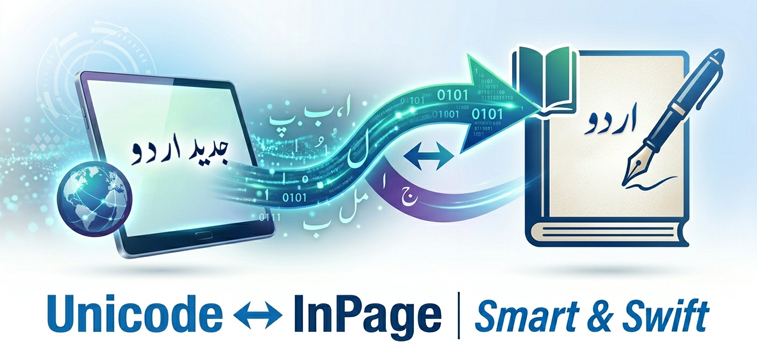

Unicode ↔ InPage | Smart & Swift

How to Use the Converter

  1. Type or Paste: Input your Urdu text into the first text box.

  2. Convert: Click the Convert button. Your text will convert in the blink of an eye.

  3. Auto-Select & Copy: The converted text in the output box will automatically highlight (Select All). Simply press Ctrl + C, or click the Copy button to copy.

  4. Paste into InPage: You can paste your converted text directly into the Urdu InPage software.

  5. Download File: Want to save it for later? Click the Download button to save the converted text directly as a text file.

  6. Start Over: Click the Clear button to wipe both text boxes and start a new conversion.


About This Tool

The Unicode to InPage Converter is a highly optimized, professional utility designed to bridge the gap between modern digital Urdu and legacy desktop publishing systems. It helps you seamlessly convert modern Unicode Urdu text (used across web browsers, MS Word, and social media) into the traditional InPage Urdu format.

Whether you are an Urdu newspaper editor, publisher, designer, academic researcher, or student, this updated version is custom-built to match professional publishing workflows.


Why is this updated version superior?

  • Exceptional Accuracy: Rebuilt from the ground up to handle complex Urdu scripts, including Urdu diacritics (اعراب), punctuation marks, and brackets.

  • Flawless Mixed-Text Support: It effortlessly processes and preserves mixed Urdu and English text without breaking the layout.

  • Blazing Fast Speed: The backend logic has been significantly optimized to deliver near-instant conversions.

  • 100% Privacy & Security: Your data is secure with us. The conversion takes place securely, and your text is processed only for the conversion itself—we never save, log, or store your text on our servers.

FAQs

1. Is this Urdu converter tool free to use? +

Yes! Both the Unicode to InPage and InPage to Unicode converters are 100% free with no registration or hidden fees required.

2. Is my text and personal data secure? +

Absolutely. We take your privacy very seriously. All processing happens dynamically, and your text is never stored or saved on our servers. Once you close or clear the page, your data is gone forever.

3. Does it support complex Urdu scripts, diacritics, and symbols? +

Yes, this is the biggest highlight of our newly updated tools. The converter easily processes complex layouts, including Urdu diacritics (اعراب), brackets, quotation marks, mathematical symbols, English-Urdu mixed sentences, and standard punctuation.

4. What is the limit for text conversion? +

You can convert up to 2,500 words at a single time to ensure maximum processing speed. If you have a larger document, you can easily convert it in consecutive batches without any daily usage limits.

5. Which versions of InPage are supported? +

The converter is optimized for legacy, non-Unicode versions of InPage (such as InPage 2.4, 3.x, and older publishing setups) which are still widely used in mainstream Urdu newspapers and publishing houses.

6. Can I use the converted text directly in InPage software? +

Yes. Once converted, you can paste the text directly into legacy versions of Urdu InPage software, and it will render perfectly in Urdu ligatures.

7. Does the converter preserve English text in mixed documents? +

Yes. Our updated algorithm is smart enough to detect English characters, numbers, and formatting within the Urdu text, preserving them accurately during the conversion process.

8. Why should I convert Unicode text into InPage? +

If you or your publishers work with older versions of InPage that do not support modern Unicode, converting your Unicode text (from MS Word or the internet) into legacy InPage format allows you to continue editing, designing, and publishing in InPage without rewriting everything.

9. Can I download the converted InPage text directly? +

Yes. We have integrated a Download button. Instead of manually copying, you can download your converted text as a .txt file with a single click, and after downloading, you can copy and paste the text from this file into InPage whenever you want.

10. What makes this converter different from other online tools? +

Developed by M Bilal M, these tools are backed by 18 years of Urdu digital development experience. Unlike standard converters, this is faster, support mixed-language formats, guarantee complete privacy, and preserve complex punctuation flawlessly.